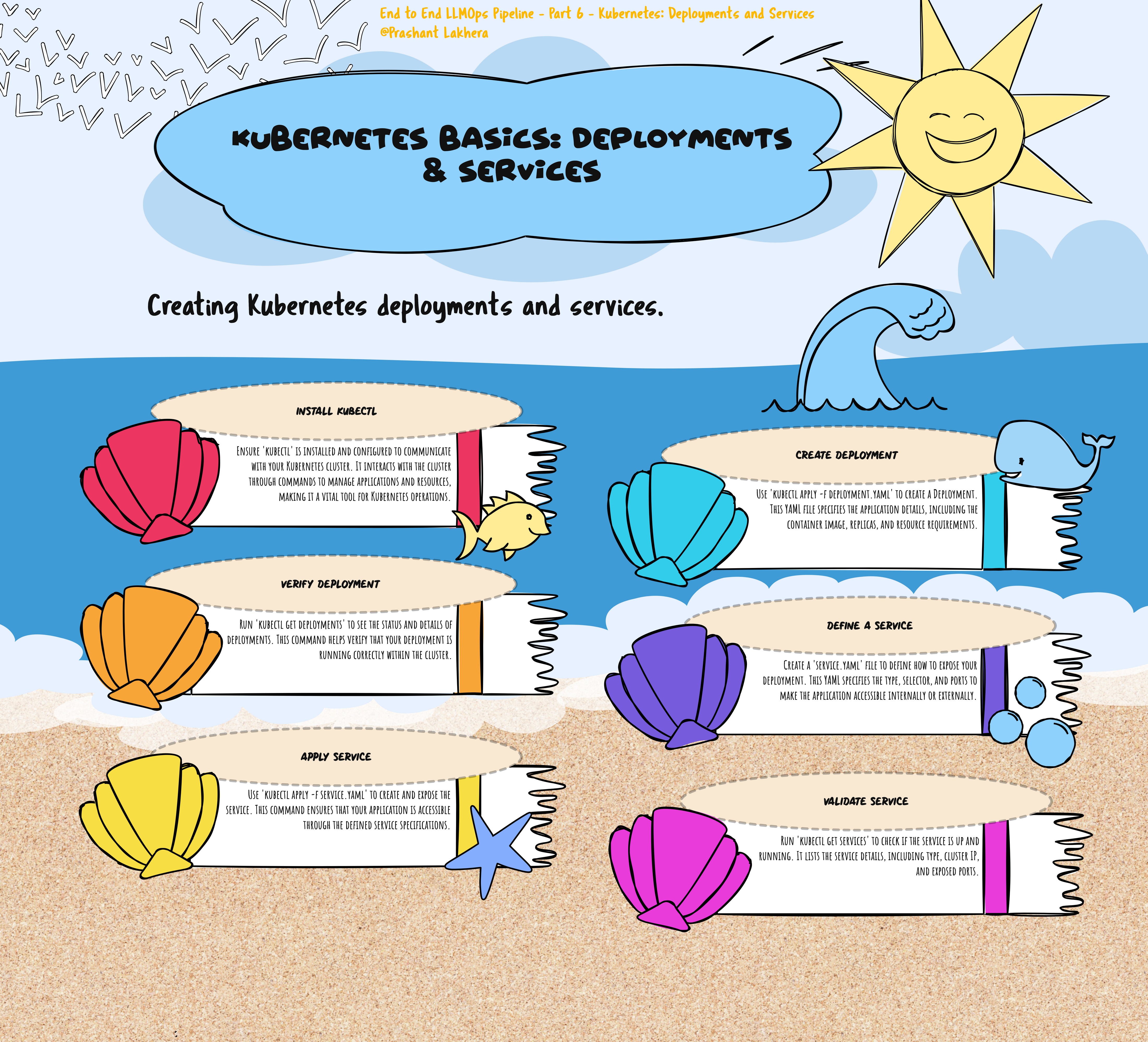
Kubernetes: Deployments and Services
Kubernetes is an open-source platform designed to automate deploying, scaling, and operating application containers. It allows developers to manage containerized applications across a cluster of machines, providing essential features like scaling, load balancing, and automated rollouts and rollbacks.
Kubernetes Deployments
A Deployment in Kubernetes is a resource object that provides declarative updates to applications. You define the desired state of the application in a YAML file, and the Deployment controller makes the changes to the application’s current state to match the desired state. Deployments are used to create and manage a set of identical pods (containers running an application), ensuring that the specified number of replicas is always running.
Key Features of Deployments:
- Replica Management: Ensures that a specified number of replicas of a pod are running at all times.
- Rolling Updates: Gradually replaces old versions of pods with new ones, ensuring zero downtime.
- Rollback: If something goes wrong, you can roll back to a previous version of the deployment.
Kubernetes Services
A Service in Kubernetes is an abstract way to expose an application running on a set of Pods as a network service. With Kubernetes, you don’t need to modify your application to use an unfamiliar service discovery mechanism. Kubernetes gives Pods their own IP addresses and a single DNS name for a set of Pods, and can load-balance across them.
Types of Services:
- ClusterIP: Exposes the service on a cluster-internal IP. This is the default ServiceType.
- NodePort: Exposes the service on each Node’s IP at a static port (the NodePort). A ClusterIP service, to which the NodePort service routes, is automatically created.
- LoadBalancer: Exposes the service externally using a cloud provider’s load balancer.
- ExternalName: Maps a Service to a DNS name.
YAML File Explanation
The provided YAML file defines a Kubernetes Deployment and a Service.
Deployment YAML
apiVersion: apps/v1
kind: Deployment
metadata:
  name: gpt-huggingface
spec:
  replicas: 3
  selector:
    matchLabels:
      app: gpt-hf-pod
  template:
    metadata:
      labels:
        app: gpt-hf-pod
    spec:
      containers:
      - name: gptcontainer
        image: image_name
        ports:
        - containerPort: 8000
- apiVersion: apps/v1: Specifies the API version of the Kubernetes resource. For Deployments, it’s
apps/v1. - kind: Deployment: Defines the type of Kubernetes resource being created.
- metadata:
- name: gpt-huggingface: The name of the Deployment.
- spec:
- replicas: 3: Specifies that three replicas (instances) of the pod should be running.
- selector:
- matchLabels:
- app: gpt-hf-pod: This label is used to identify the pods managed by this Deployment.
- matchLabels:
- template: Describes the pod to be created.
- metadata:
- labels:
- app: gpt-hf-pod: Labels that the pod will carry. These must match the
selectorto ensure the Deployment manages these pods.
- app: gpt-hf-pod: Labels that the pod will carry. These must match the
- labels:
- spec:
- containers: Defines the container specifications.
- name: gptcontainer: The name of the container.
- image: image_name: The Docker image to use for this container. Replace
image_namewith the actual image name. - ports:
- containerPort: 8000: The port on which the container will listen.
- containers: Defines the container specifications.
- metadata:
apiVersion: v1
kind: Service
metadata:
  name: gpt-hf-service
spec:
  type: NodePort
  selector:
    app: gpt-hf-pod
  ports:
  - port: 8000
    targetPort: 8000
    nodePort: 30007
Deploying the deploy.yaml File to Kubernetes
To deploy the deploy.yaml file to your Kubernetes cluster, follow these steps:
To deploy the deployment.yaml file, use the kubectl apply command:
kubectl apply -f deployment.yaml
This command will create the resources defined in the deploy.yaml file, such as the Deployment and Service.
Verify the Deployment
You can verify that your deployment was successful by checking the status of the deployment and services:
kubectl get deploy
kubectl get services
These commands will display the running deployments and services, confirming that your application is deployed and accessible.
Note: This is for illustration purposes. We are going to deploy this configuration using GitHub Actions, which will automate the deployment process as part of your CI/CD pipeline.
| ← Previous | Next → |